General Engineering Company Website
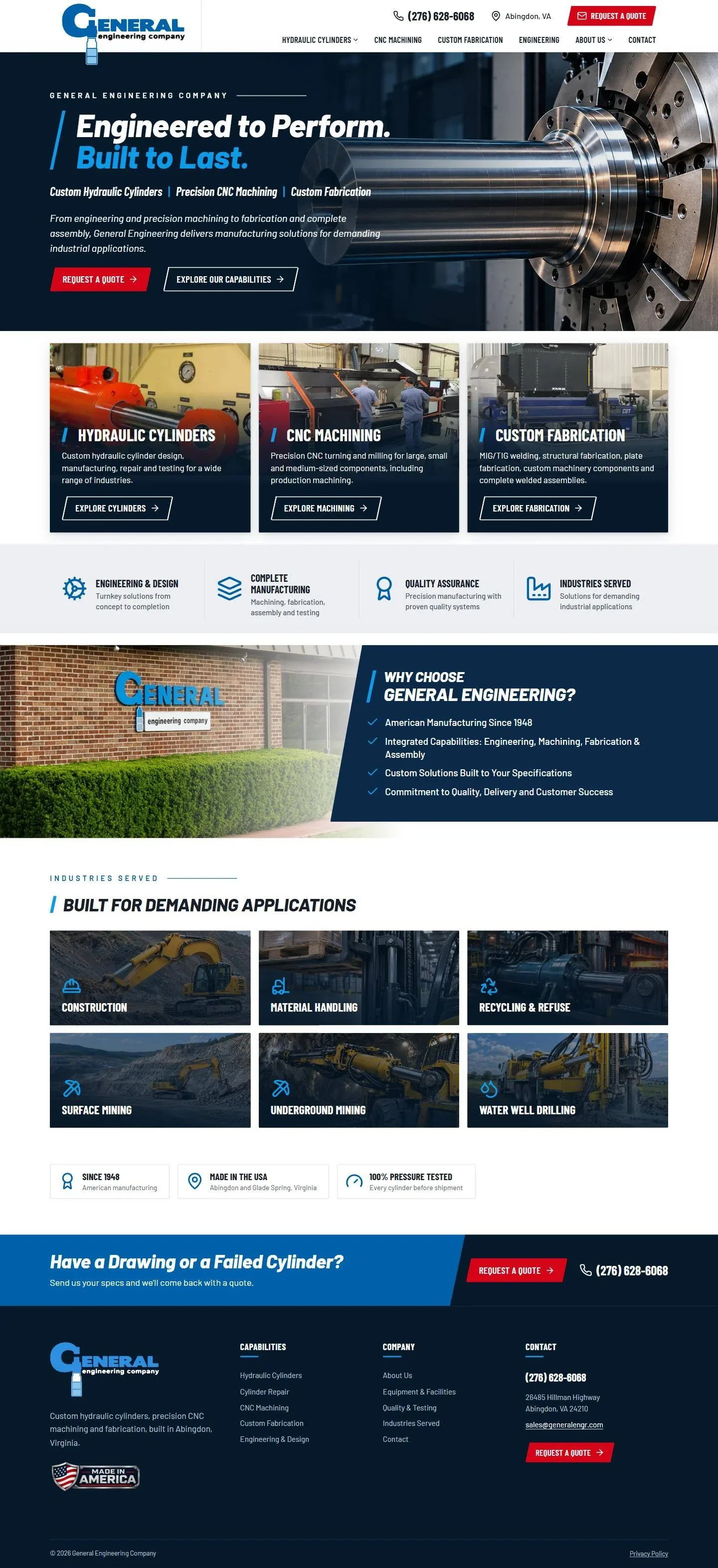
General Engineering Company has built custom hydraulic cylinders, precision CNC-machined parts and welded fabrications in Southwest Virginia since 1948. We gave them a design system, a custom WordPress block theme and a quote form built for drawings, so the site finally works as hard as the shop does.
- Client
- General Engineering Company
- Location
- Abingdon, VA
- Launched
- 2026
- Services
- Custom development, Design & strategy, WordPress
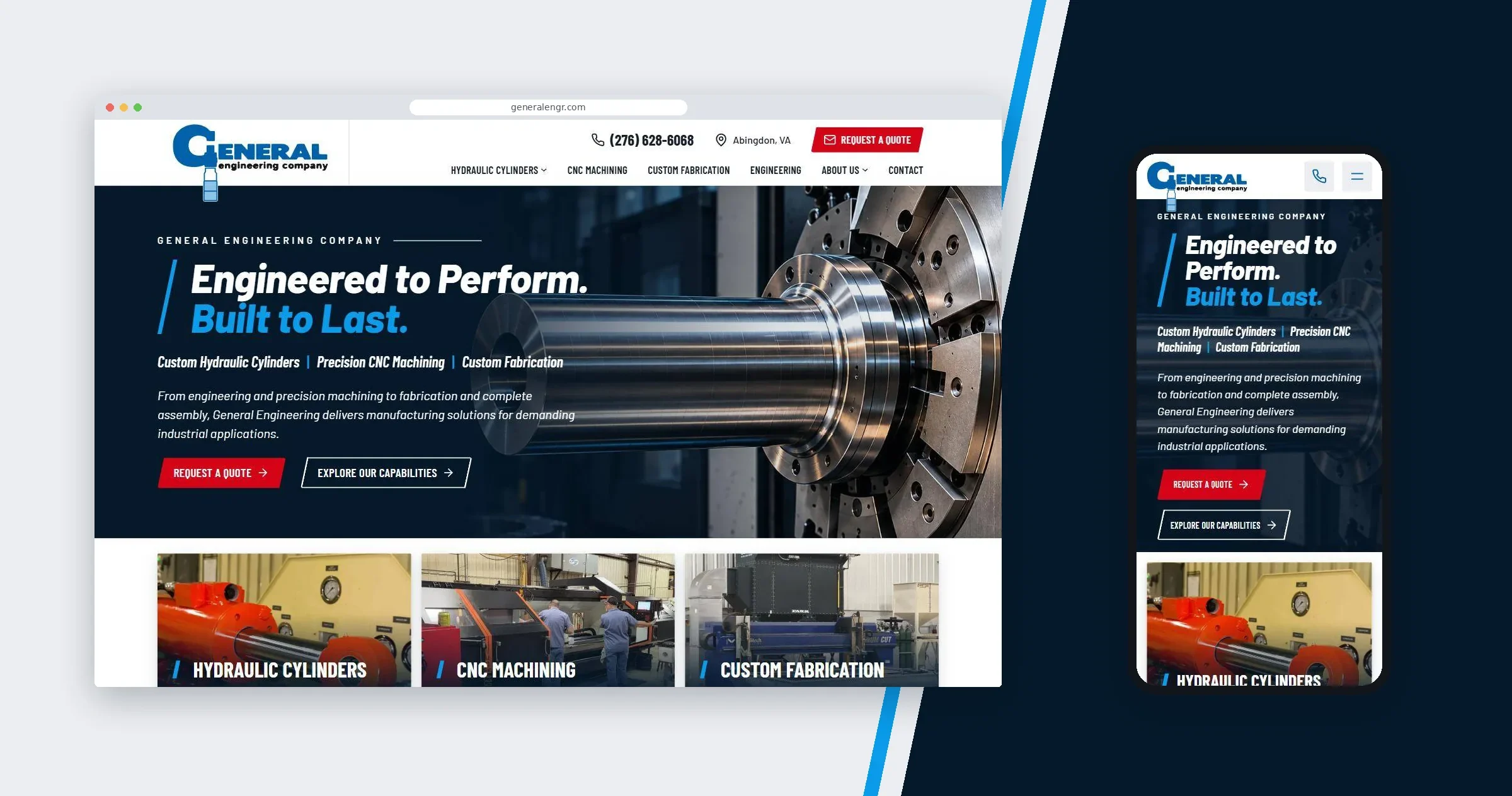
- Design system first
- Tested against WCAG 2.2 AA
- Lighthouse 95 mobile, 100 desktop
The challenge
General Engineering's customers are engineers, plant managers and equipment buyers. They usually arrive with a drawing and a deadline, and they want to know one thing fast: can this shop build it? The old site didn't answer that well. The equipment list was a picture of a table instead of text, and basic facts, like how long the company had been in business, didn't agree from page to page.
General Engineering came to us with a homepage concept they liked and a capabilities booklet full of hard numbers. Our job was to turn the look into a real system, put the booklet's facts on the page, and hand them a site their team can keep up without calling us for every change.
We started with a design system
Before we built a single page, we built the system the pages would come from: design tokens, components and a short brand book. The rules are simple on purpose:
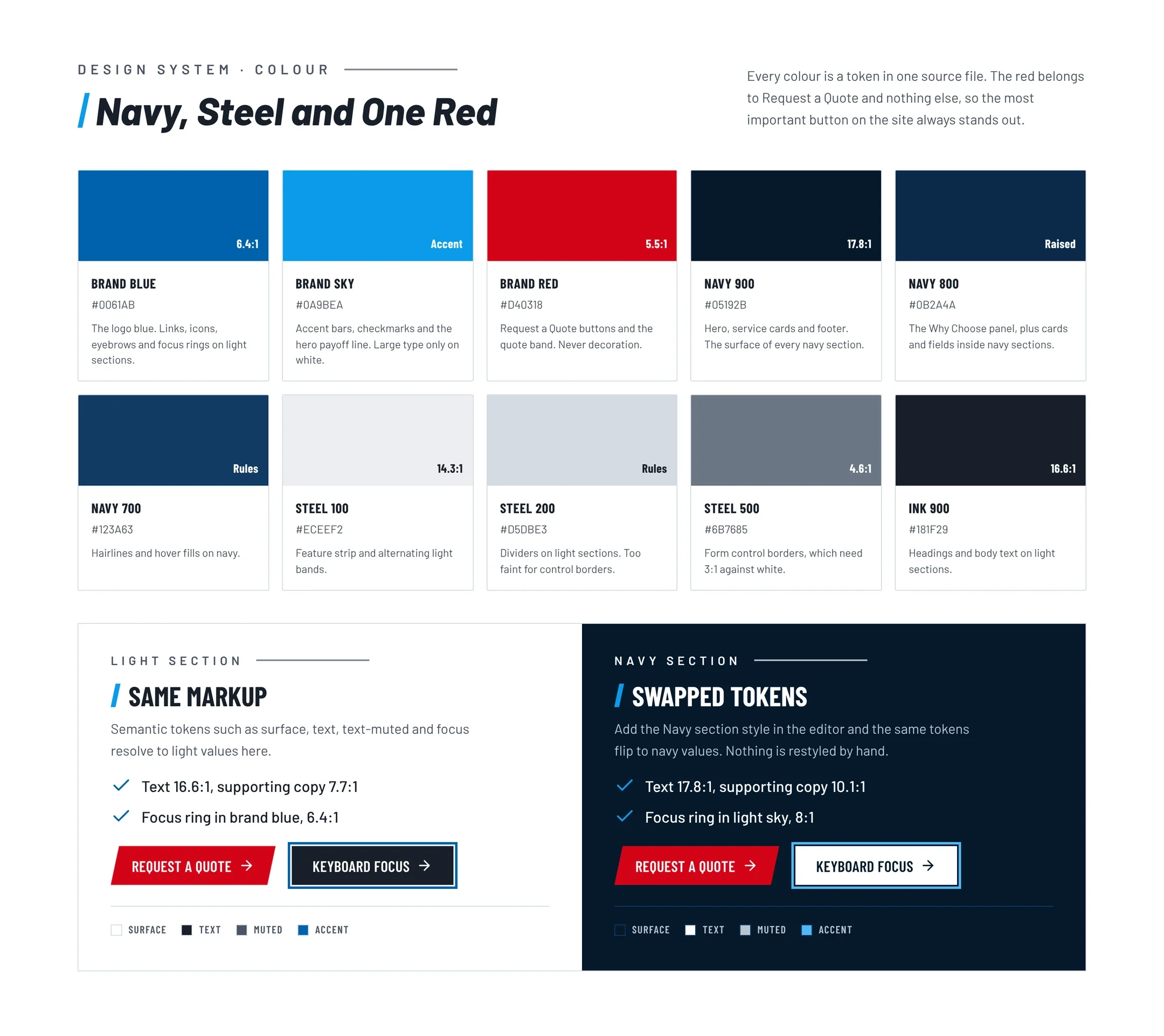
- Navy, steel and one red. The red is reserved for Request a Quote. If it shows up anywhere else, the most important button on the site stops standing out.
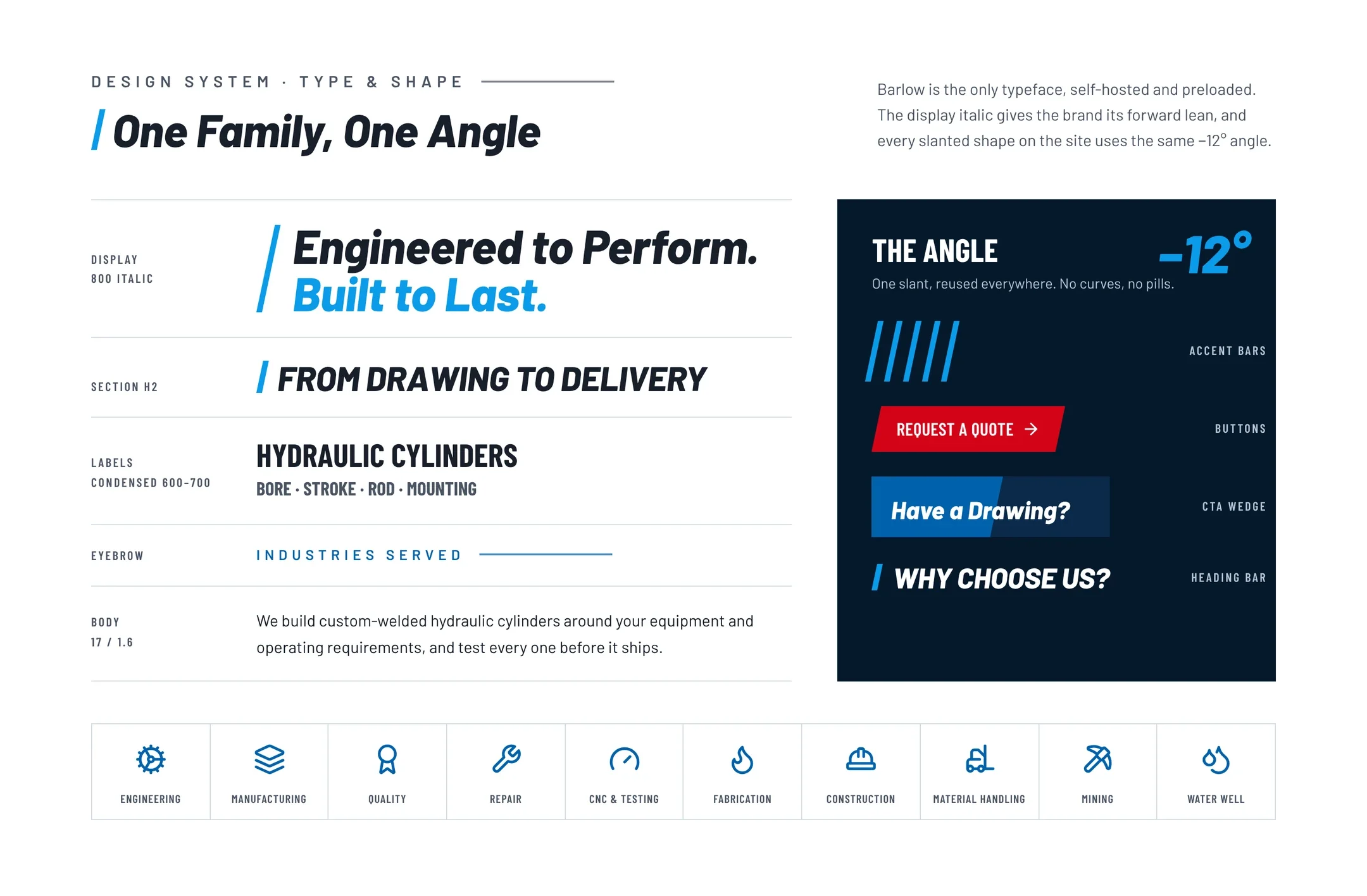
- One typeface. Barlow, self-hosted. The display headings are set in an 800-weight italic that gives the brand its forward lean. Labels, buttons and navigation use Barlow Condensed.
- One angle. Every slanted shape on the site, from the bar beside each heading to the call-to-action wedge and the buttons, uses the same −12° angle. No curves, no pills.
- Two contexts, one set of components. Light sections and navy sections use the same markup. Switching a section to navy flips the semantic color tokens (surface, text, muted text, links, focus ring), so nothing gets restyled by hand.
Every color pairing in the system was checked for contrast before it went in, in both light and navy sections.
A block theme, not a page builder
The site runs on a custom WordPress block theme built straight from that design system. One tokens file is the source of truth. A small script writes it into the theme's theme.json presets and CSS custom properties, so the editor and the front end always match.
We leaned on WordPress core blocks wherever we could and wrote custom blocks only where core couldn't do the job. There are just three: an icon block, breadcrumbs, and a contact info block. Everything else is core blocks with block styles and patterns:
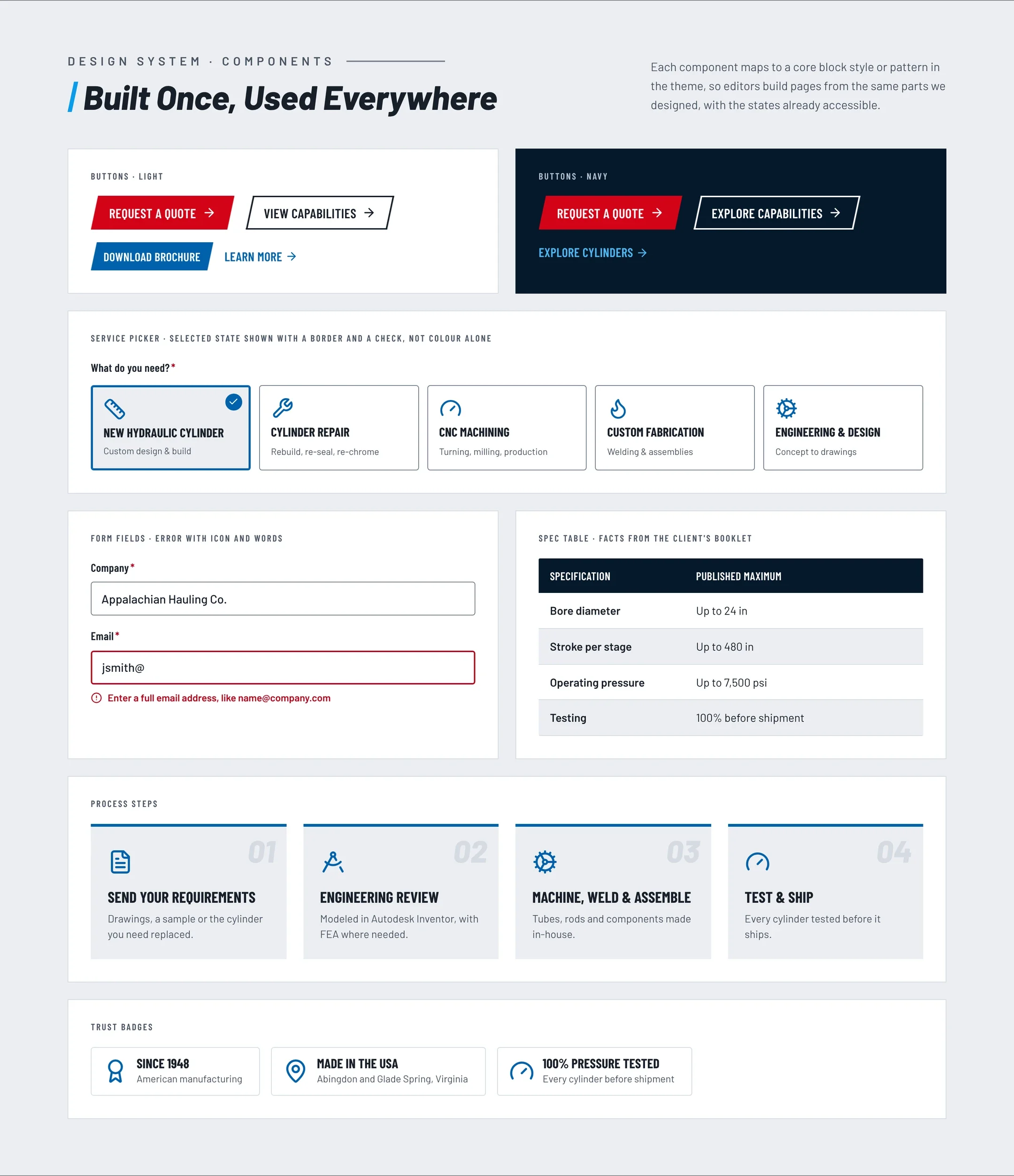
- 16 section patterns and 2 page starters, including the home hero, service cards, industries grid, process steps, stat row, spec table, photo pair, FAQ and the call-to-action band.
- Block styles right in the editor: Accent bar headings, Eyebrow, Lede and Stat paragraphs, a Checks list, a Specs table, and Outline and Blue buttons.
- Company info entered once. Phone, address, hours and email live on one settings screen and feed the header, footer, call-to-action band, contact card and the LocalBusiness schema. Change the phone number once and it changes everywhere.
One detail we're especially happy with: the buttons rest as −12° parallelograms and ease into rectangles on hover and keyboard focus. The shape is painted with gradients and animated through registered CSS custom properties instead of clip-path, so the keyboard focus ring is never clipped.
Real numbers on the page
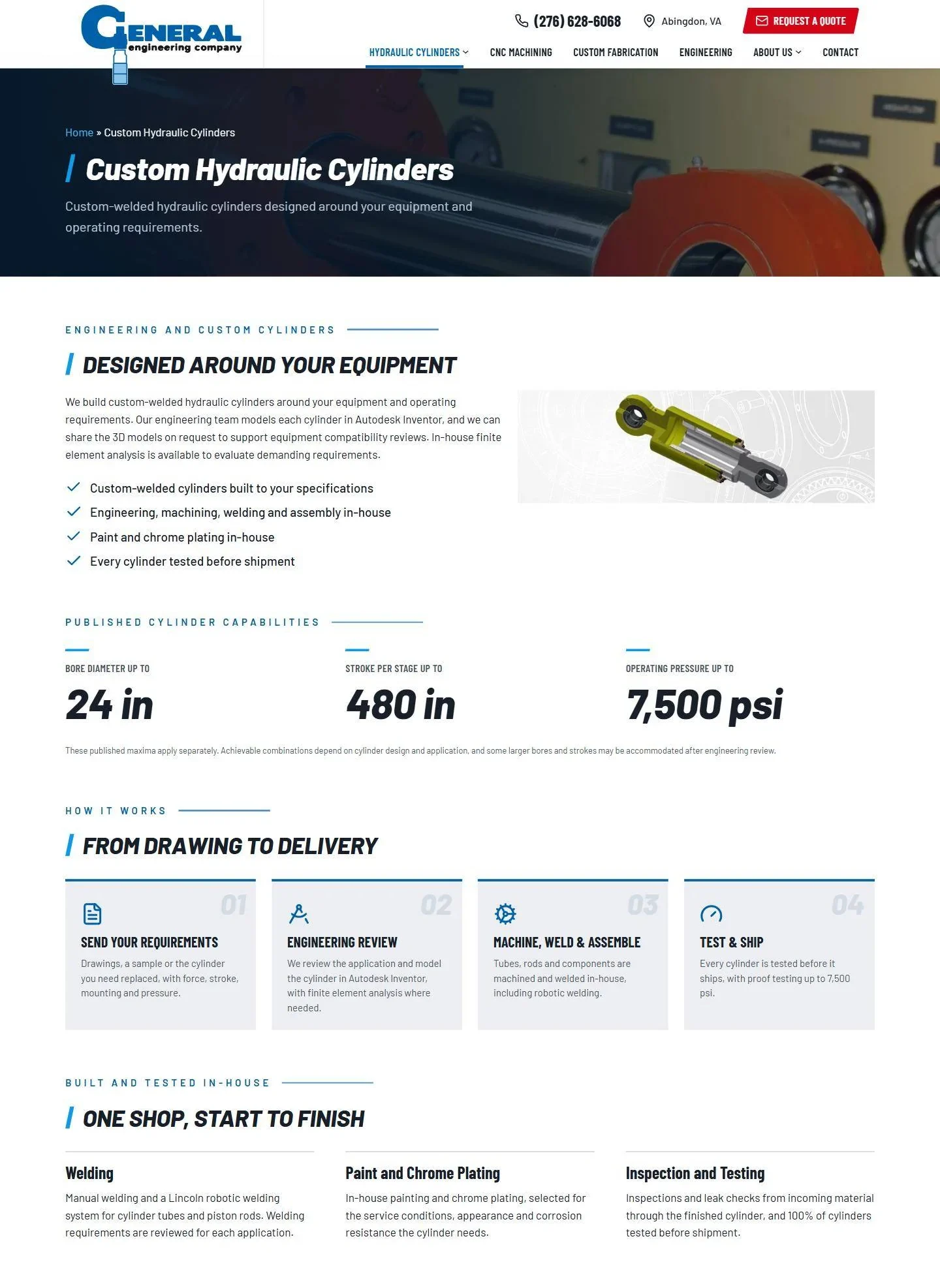
The content comes straight from General Engineering's capabilities booklet. Facts that used to be vague are now specific: American manufacturing since 1948, operations in Abingdon and Glade Spring, cylinder bores up to 24 inches, strokes up to 480 inches per stage, operating pressure up to 7,500 psi, and every cylinder tested before it ships. The equipment list is real, searchable text in spec tables now, not a picture.
Anything the booklet didn't settle stayed out of the published copy until the client confirmed it.
A quote form built for drawings
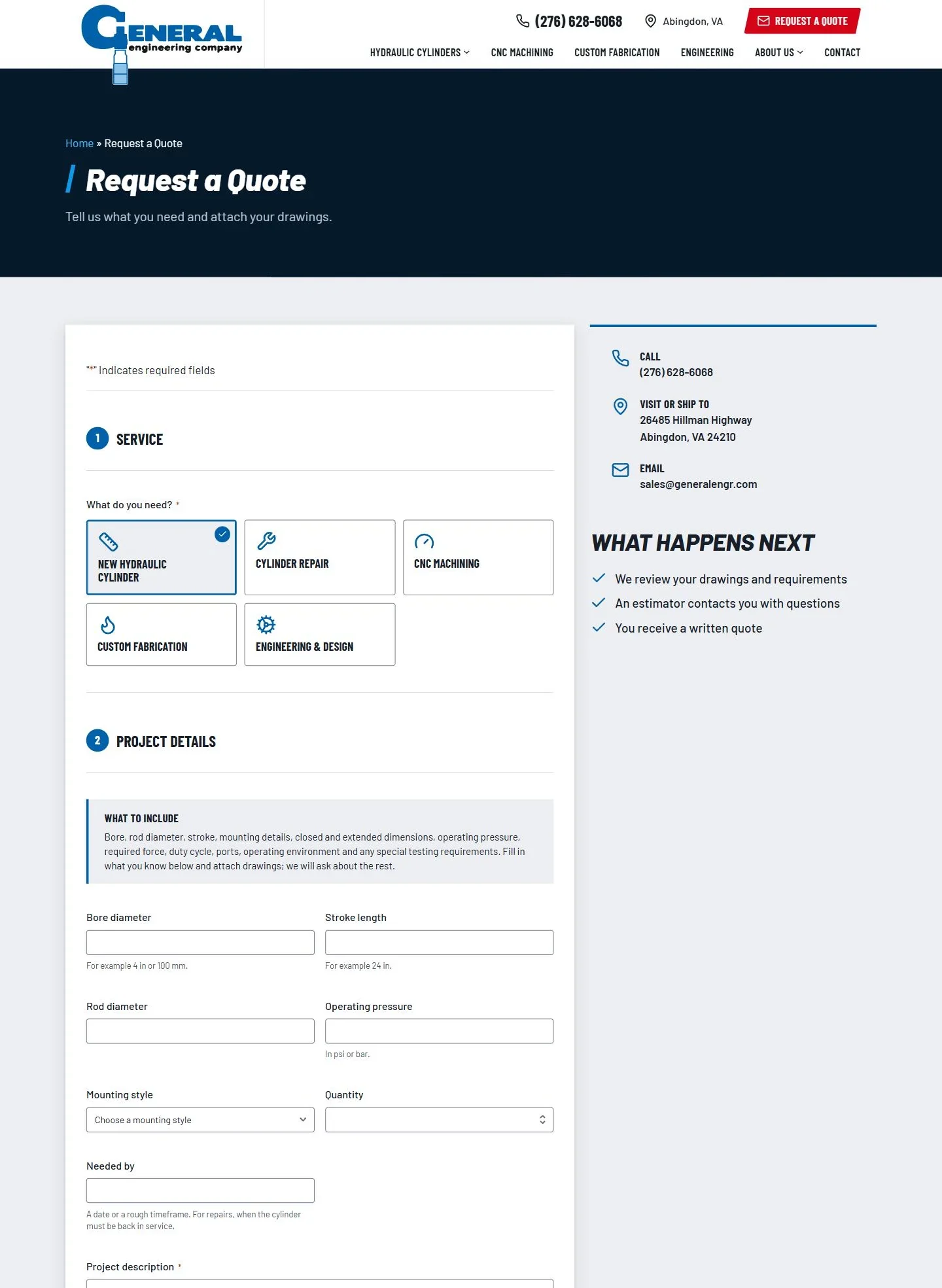
Request a Quote is the most important page on the site, so we treated it like a product:
- Pick a service first. New cylinder, cylinder repair, CNC machining, fabrication or engineering. The form then shows what to include for that kind of job and asks for the details that matter, like bore, stroke, rod diameter, pressure and mounting style for a new cylinder.
- Every service page links in pre-selected. The quote button on the CNC Machining page opens the form with CNC Machining already chosen.
- CAD files welcome. Customers can attach STEP, IGES, DXF and DWG files along with PDFs and photos.
- Errors that help. If something's missing, focus moves to a summary that links to each problem, every message has an icon and plain words, and answers already given are kept.
The form runs on Gravity Forms, styled from the same design tokens as the rest of the site.
Accessibility was part of done
We treated WCAG 2.2 AA as acceptance criteria, not polish. During the build we:
- Ran automated axe-core checks on every page template at desktop and 320-pixel phone widths, with zero violations.
- Checked text over photos by sampling the actual background pixels behind 148 blocks of text, since automated tools can't measure contrast on images.
- Walked every page by keyboard. Every stop shows a 3px focus ring, and the fixed header never hides the focused element.
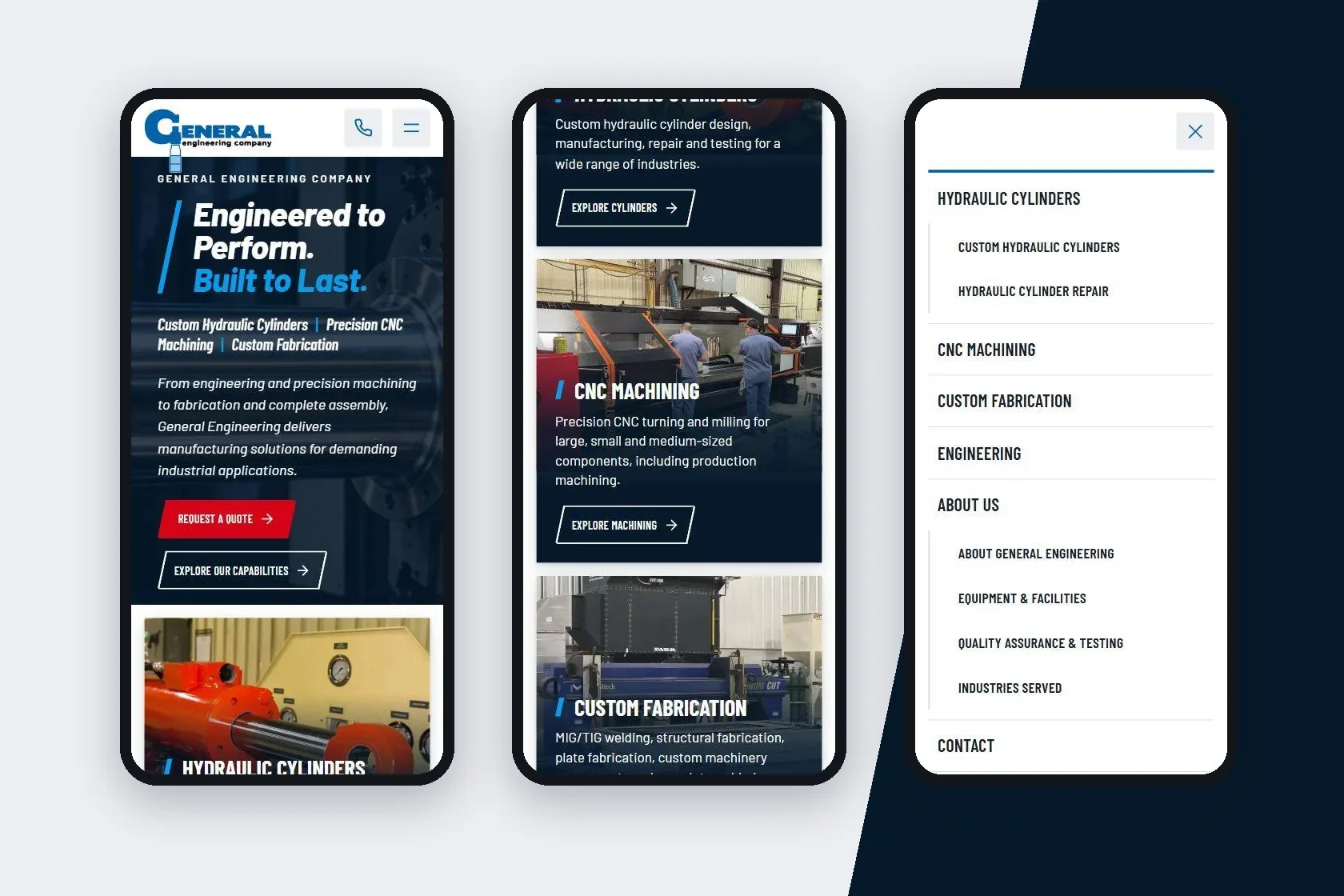
- Made touch targets at least 48 pixels, built the mobile menu as a proper dialog that traps focus and closes with Esc, and never showed state with color alone. The selected service tile gets a border and a check mark, and the current page gets an underline.
Fast without another plugin
At launch, Google Lighthouse scored the home page 76 on mobile and 83 on desktop. Accessibility, best practices and SEO were already at 100, so performance was the only thing left to fix. We tuned the theme itself instead of adding an optimization service:
- Critical CSS is inlined, and the fonts the first screen needs are preloaded with size-matched fallbacks, so text doesn't jump when the fonts arrive.
- WordPress itself saves new uploads as WebP. No third-party image service, no monthly quota.
- Phones download right-sized images instead of desktop ones.
- Analytics waits for the visitor's first interaction, so it doesn't compete with the page loading.
The result: 95 on mobile and 100 on desktop, with accessibility, best practices and SEO still at 100.
Built to keep up
The theme lives in Git. Every change deploys to a staging site first, and production only updates when we deliberately press the button. Day to day, General Engineering's team can edit pages in the WordPress editor using the same patterns we built them with.
Let's build this.
If you have an idea or a problem that needs solving, we would love to hear about it.